 Munich Prices
Munich Prices › Blue or red
What colour is Munich to you?
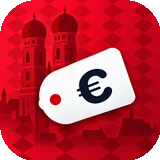
Ask anyone here and you get a firm answer. So the app asks you too, and then the whole app changes colour, icon included.

How to set it
Open the app, tap the profile button at the top right and scroll to “What colour is Munich to you?”. One tap on blue or red is all it takes. Your iPhone then shows a short note that the icon has changed, which it does for every app that can switch its icon.
What changes and what doesn’t
The accent colour, the buttons and the app icon follow your choice. The price tags stay exactly as they are: green means cheap and red means pricey, whether you are blue or red. Otherwise you would never find the cheap Halbe in red mode.
So who is meant?
I’m not saying, and neither is the app. There is no club name and no crest anywhere, just the colour. Everyone in Munich knows what they would answer anyway. I stay out of it and just show you the prices.
Can I change it back?
Any time, as often as you like. The choice stays on your iPhone, without an account, and nothing is sent anywhere.
Blue, red, whatever: first find the cheap Halbe.
The app is free, with no account and no ads. Want to hear when it is on the App Store?
In testing now, free on the App Store soon
No mail app? Write to kontakt@silverstone-consulting.com